Unified MQTT Authentication. One lightweight HTTP gateway.
Connect EMQX, Mosquitto, and VerneMQ to your existing REST backends without writing custom broker plugins. Manage routes, inspect health probes, and review access decisions from a built-in admin panel.
A dedicated web control center at /gateway/.
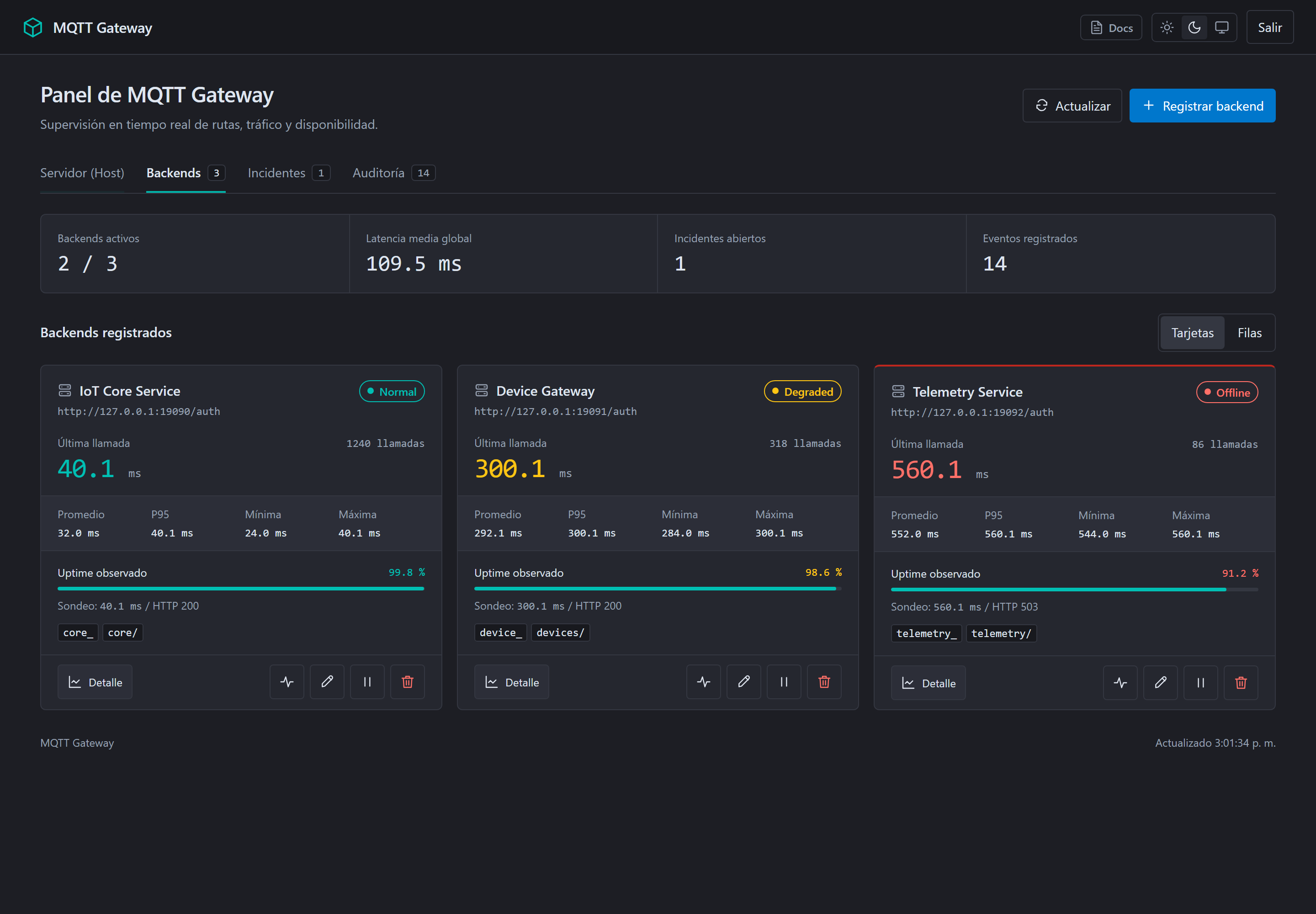
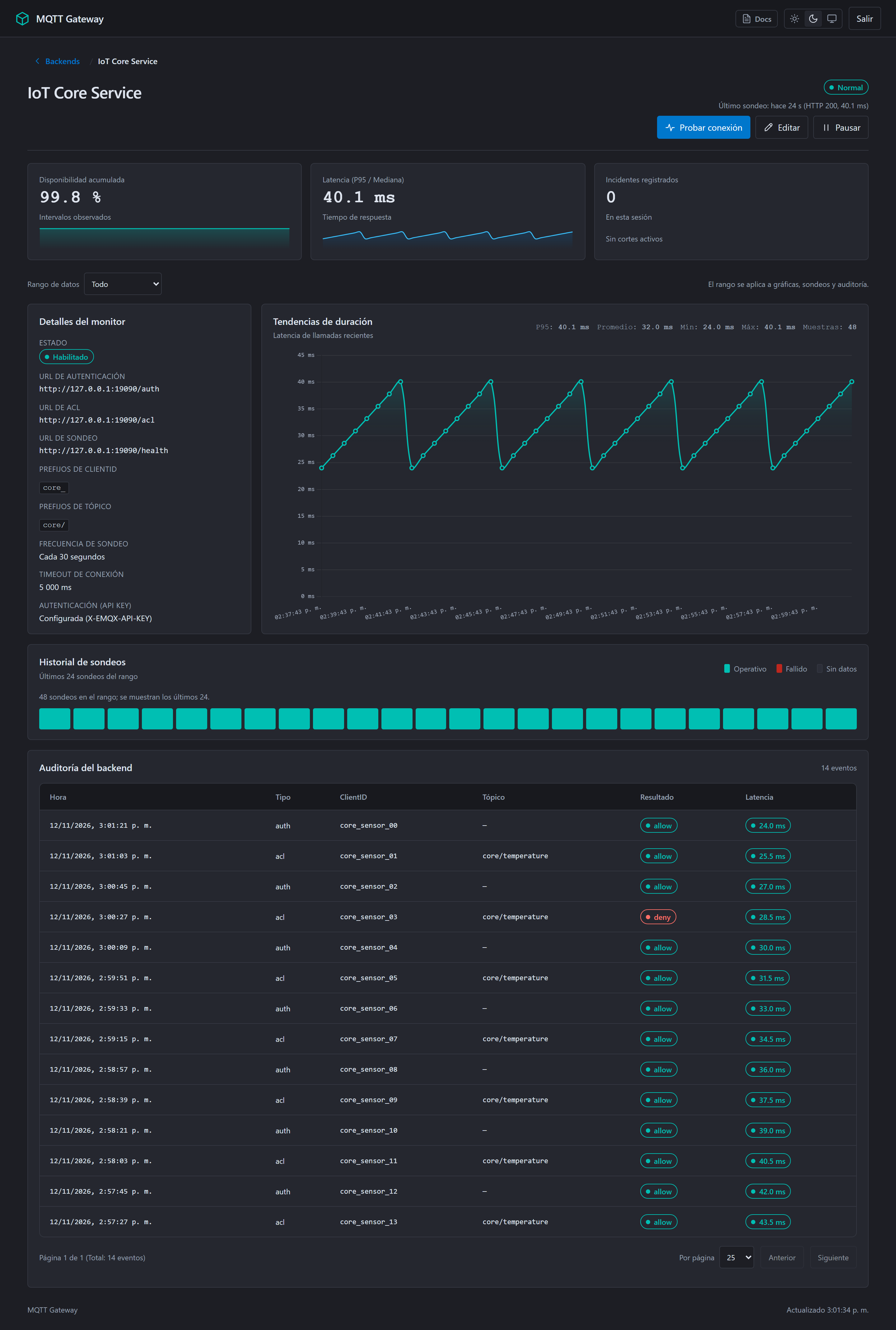
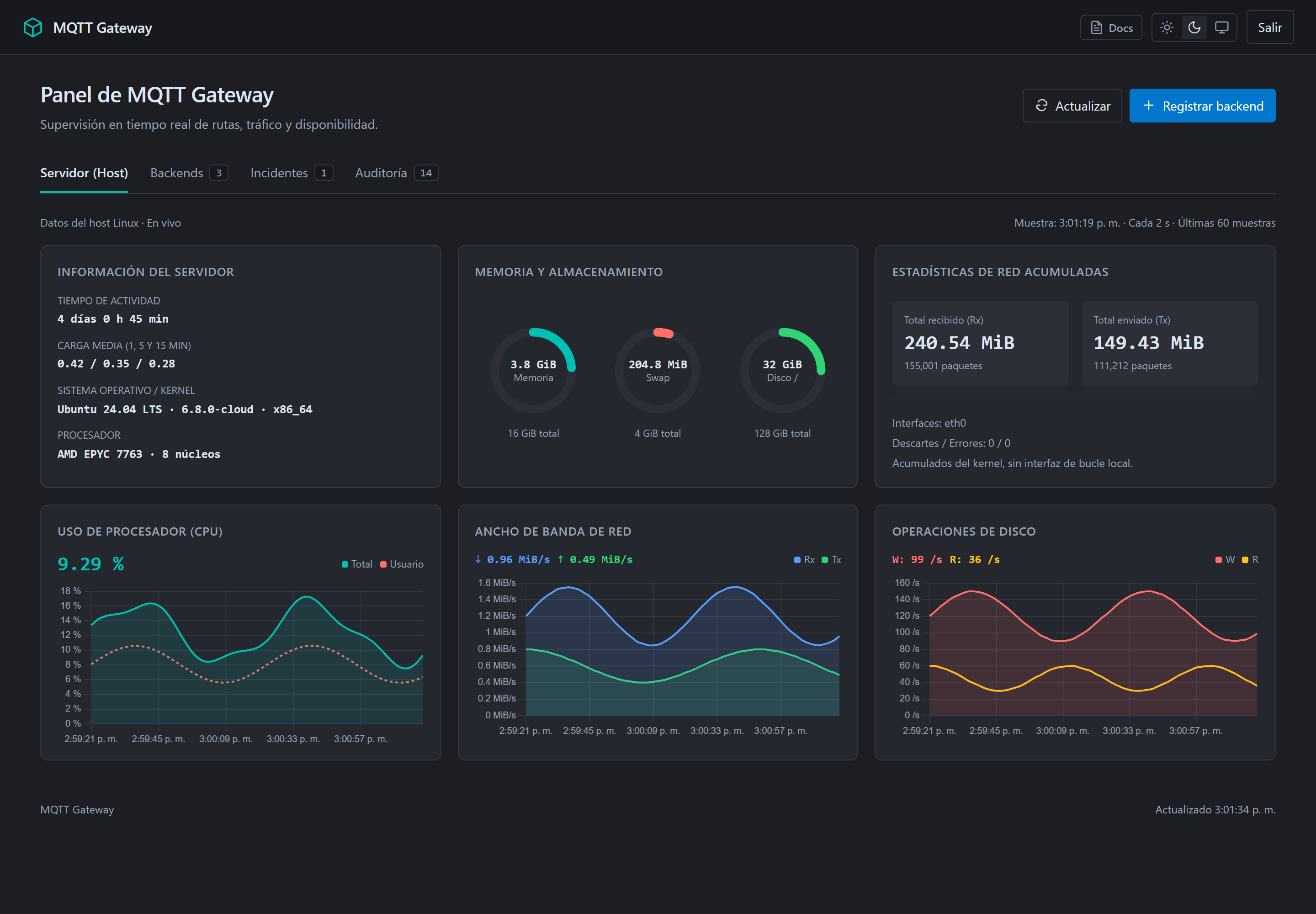
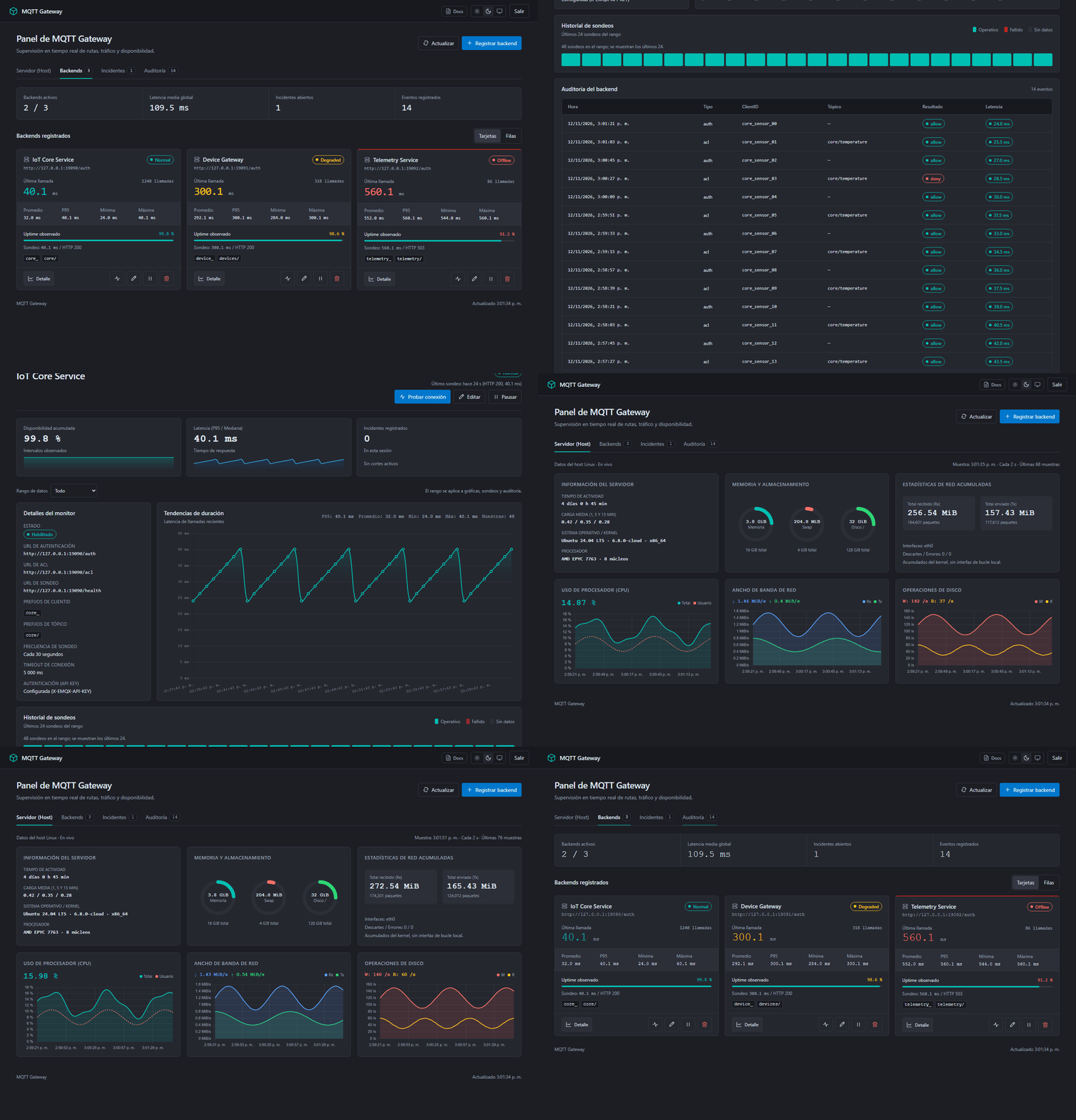
No external Grafana, Kibana, or database clusters needed. Monitor backend probes, inspect P95 latency distributions, and review real-time authorization audits right out of the box.
Stop maintaining brittle broker plugins.
Directly coupling MQTT brokers to databases using custom C, Erlang, or Lua plugins creates fragile dependencies and complex upgrades. MQTT-GATEWAY unifies everything into clean HTTP.
Coupled to Broker Binaries
Brittle & CoupledMosquitto C plugins, EMQX Erlang hooks, and VerneMQ Lua scripts require compiling separate modules, maintaining custom database schemas, and risking crashes during broker upgrades.
- Separate plugin binary for every broker flavor and version
- Brokers directly querying production SQL/NoSQL databases
- Changing routes or backend targets requires broker restarts
Clean HTTP Webhook Decoupling
Decoupled HTTPBrokers simply send HTTP webhooks to MQTT-GATEWAY on port 8085. The gateway normalizes payloads and forwards them to your existing backend services.
- One standard REST contract for Mosquitto, EMQX, and VerneMQ
- No external database to configure; local atomic persistence
- Add, pause, or edit routes live from the UI without restarting
How requests move through the gateway.
When an IoT client connects or publishes a message, MQTT-GATEWAY validates credentials through your existing REST services with minimal latency.
Broker Webhook Trigger
A client connects to Mosquitto, EMQX, or VerneMQ. The broker sends an HTTP authentication or ACL webhook to port 8085.
Prefix Match & Route
The gateway matches client ID or topic prefixes (e.g. core_* vs tel_*) and dispatches the call using Java 25 Virtual Threads.
Your Backend Responds
Your backend service checks credentials or token claims and returns a simple JSON response: {"result": "allow"}.
// POST /api/v1/auth (Dispatched to your backend)
// Optional header: X-EMQX-API-KEY: your-backend-secret
{
  "clientid": "core_sensor_098",
  "username": "fleet_device_prod",
  "password": "••••••••••••",
  "ipaddress": "192.168.1.104",
  "protocol": "MQTT"
}
// HTTP/1.1 200 OK (From your backend to MQTT-GATEWAY)
{
"result": "allow",
"is_superuser": false
}
// Valid result values: "allow", "deny", or "ignore"# Initial configuration (or manage live at /gateway/)
gateway:
timeout-ms: 2000
global-topics: [heart, ping]
auth:
- prefixes: [core_, android_, ios_, web_]
url: http://core-backend:8090/api/v1/emqx/auth
- prefixes: [tel_]
url: http://telemetry-backend:8080/api/v1/emqx/auth
acl:
- prefixes: [v1/, core/]
url: http://core-backend:8090/api/v1/emqx/aclSimple to run, built for reliable operations.
Combining the speed of Quarkus native binaries with the operational visibility you need in production.
Zero External Database
Operates independently with local JSON persistence and in-memory caches. No PostgreSQL, MySQL, or Redis clusters to deploy or maintain.
Built-in Admin Web Panel
Access a complete web dashboard at /gateway/ to inspect live backend health, manage routes, and review access decisions in real time.
Live Route Management
Add, pause, or edit backend routes on the fly using the REST Admin API without restarting the gateway or disrupting live MQTT traffic.
Continuous Health Probing
Periodically tests backend availability using virtual threads, tracks P95 latency metrics, and logs outages automatically in an incident ledger.
Deploy with a single command.
Pull pre-built container images from GitHub Container Registry (GHCR) or launch a full demonstration environment with Docker Compose.
# Run MQTT-GATEWAY on port 8085
docker run -d \
  --name mqtt-gateway \
  -p 8085:8085 \
  -e GATEWAY_ADMIN_PASSWORD=admin-secret \
  ghcr.io/kgvicente/mqtt-gateway:latest

# Open the admin panel at http://localhost:8085/gateway/# docker compose up --build --wait
# Spins up the gateway, demo backend, and Mosquitto with automated tests
git clone https://github.com/kgvicente/mqtt-gateway.git
cd mqtt-gateway
docker compose up --build --wait
# Open http://localhost:18085/gateway/ (admin / local-demo-admin-2026)# Check gateway readiness and liveness
curl http://localhost:8085/q/health
# Response:
{
"status": "UP",
"checks": []
}